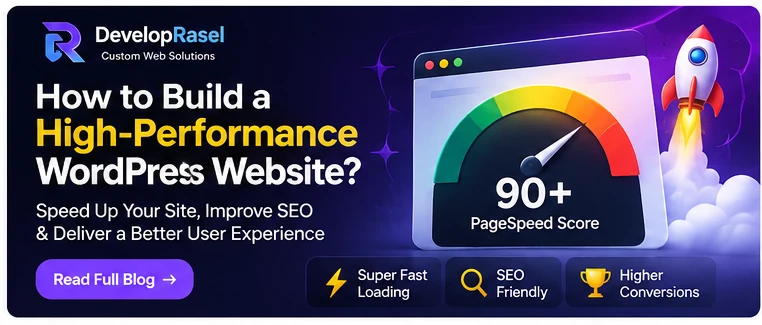
A slow website can make it harder for visitors to browse, compare services and complete important actions. It can also make content feel less trustworthy. Improving WordPress performance is not about installing every optimization plugin or chasing a single perfect score. It is a process of measuring real user experience, identifying bottlenecks and making changes that improve the pages people actually use.
Measure before you optimize
Start with representative pages: the homepage, a service page, a blog post and any key conversion page. Use PageSpeed Insights and the Chrome UX Report where available to understand lab diagnostics and field experience. Pay attention to Largest Contentful Paint, Interaction to Next Paint and Cumulative Layout Shift, but interpret them in context. Record a baseline and repeat tests under similar conditions after each major change.
Choose hosting that matches the site
Hosting affects server response time, resource availability, caching options and reliability. A small brochure site has different needs from a busy WooCommerce store or membership platform. Review PHP and database support, storage, backups, staging, security controls and support quality. Avoid choosing a host based only on the lowest introductory price; consider renewal costs and the ability to scale when traffic or order volume grows.
Keep themes and plugins purposeful
A theme or plugin is not automatically slow because it is popular, and custom code is not automatically fast. Performance depends on what loads, how often it runs and how efficiently it is implemented. Remove unused plugins, avoid overlapping features and review scripts loaded on pages where they are not needed. If a plugin creates a critical bottleneck, profile the cause before replacing it. Custom development may be appropriate when a specific workflow needs a lighter, more controlled implementation.
Optimize images and front-end assets
Resize images to the dimensions they are displayed at, use modern formats such as WebP or AVIF where supported, and compress without visibly damaging quality. Provide responsive image sizes and avoid lazy-loading the main above-the-fold image. Defer non-critical scripts where safe, reduce unused CSS and JavaScript, and use local or carefully selected fonts. Test galleries, sliders and animations on mobile devices because visual effects can add substantial weight.
Use caching carefully
Page caching can reduce repeated server work for pages that do not change per visitor. Object caching may help sites with frequent database queries, while browser caching can reduce repeat downloads. WooCommerce carts, account pages and personalized content need special handling so that private or dynamic information is never served from a shared cache. Configure one coherent caching strategy and test logged-in, logged-out and checkout scenarios.
Build performance into custom development
Developers can prevent avoidable performance problems by querying only the data needed, avoiding unnecessary database calls, loading assets conditionally and using WordPress APIs appropriately. For custom blocks and plugins, keep front-end dependencies lean and avoid loading admin-only scripts on public pages. Establish performance budgets for key templates and test after adding major features. A fast homepage is not enough if product, search or booking pages remain slow.
A repeatable launch checklist
Before launch, test on real devices and common browsers, check forms and checkout, confirm image dimensions, inspect console errors and measure important templates. Enable backups and monitoring, then review field data as traffic accumulates. Rasel builds responsive WordPress websites and custom themes and plugins with attention to speed and usability. If performance issues are affecting your business, share the affected URLs and goals through Developer Rasel's contact options.
Frequently asked questions
What is a good WordPress page speed score?
A score is a diagnostic, not a business outcome or ranking guarantee. Aim for a strong real-user experience and review Core Web Vitals alongside usability, conversion and reliability.
Do more plugins always make WordPress slower?
No. Plugin count alone is not a reliable performance measure. The quality of the code, database activity, assets loaded and configuration matter more.
Can a custom theme make my WordPress site faster?
It can reduce unnecessary features and give developers more control, but only if it is implemented well. Hosting, images, plugins, caching and third-party scripts also affect speed.
Ready to build a better website?
Whether you need a custom WordPress theme, a purpose-built plugin, a WooCommerce enhancement or a complete business website, start with a clear brief and a maintainable plan. Visit Developer Rasel to learn about the services and get in touch about your project.

Developer Rasel
Custom WordPress & plugin developer. I build custom themes, plugins and WooCommerce features for businesses worldwide - and fix broken sites fast.